Simple Responsive MRTG Index Page
May 14, 2015
TL;DR
To improve the display of MRTG graphs on mobile devices, specific meta and CSS code can be added to the index.html file to enforce responsiveness.
- The solution requires implementing a viewport meta tag and CSS media queries within the head section.
- This code ensures that tables and images scale to fit the screen size on smaller devices.
- The implementation automatically adjusts the layout for different screen widths, though it removes the native zoom functionality by default.
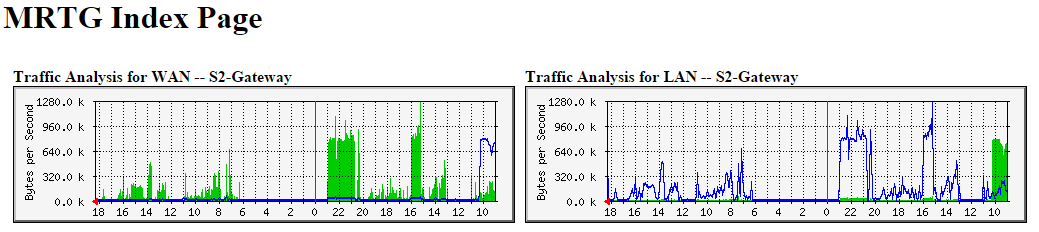
I often view big-picture MRTG graphs on a mobile device of some type, and I hate how the pages look... So I made some real quick drop in CSS changes to make the page a little responsive so it shows the graphs a little better. The pages are way beyond simple, but they work for me...
Here is what I did... Simply add the following code to the <head> </head> section of your index.html page.
This may work on other MRTG pages, but I only tried it on the main index.html file that I generated.
<meta
	name="viewport"
	content="width=device-width, initial-scale=1.0, minimum-scale=1.0, maximum-scale=1.0, user-scalable=no" />

<style type="text/css">
@media all and (max-width: 1034px) {
	table { width: 100%; }
	img { width: 100%; max-width: 100%; height: auto; }
}

@media all and (max-width: 960px) {
	td { display: block; margin-bottom: 10px; width: auto; }
}
</style>
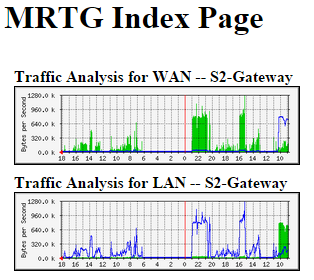
After that, when viewing the page on a smaller screen device, it will look a lot cleaner and the charts will scale correctly. I did remove the zoom functionality, but you can enable that by changing the maximum-scale and user-scalable options in the viewport meta tag.
Have you made any style changes to your MRTG pages? Do you have another tool that you prefer over MRTG?